Social Media, SEO & Your Business

by Mitch Mitchell


Using Your Website
As A Marketing Tool

by Mitch Mitchell


Embrace The Lead
by T. T. Mitchell


Keys To Leadership
by T. T. Mitchell


Free Download; right-click on book


T. T. Mitchell Consulting, Inc

Promote Your Page Too


Follow Me On Twitter;
Click The Bird!


Listed on BlogShares


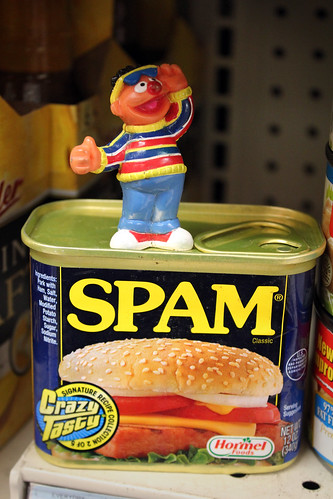
Spam, Spam, Spam, Spam…

Posted by Mitch Mitchell on Sep 16, 2010

I was alerted to a post written by our friend Holly titled Spammerview. It’s a very witty representation of the problem most of us have with spam, told in a story form that, while you’re reading it, easy captures all the different types of spam we seem to be getting these days.


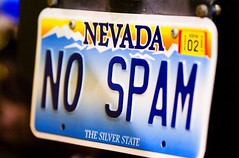
No Spam by David Hegarty

My mind harkens to last week when I keep thinking I saw a post titled something like “Does More Spam Mean I’m Successful”? I’ve been thinking about this one for awhile, and I’m starting to think that there almost has to be a direct correlation between spam and how well your blog is going. After all, does anyone get all that much spam if no one is visiting your blog?

I still get a few one liners here and there, but today’s spam is definitely getting a bit more sophisticated. As I wrote about spam back in July, some of it actually seems to be on topic sometimes, though if you read it well you can tell, especially when the same message appears on other posts at the same time. Another trick is its copying someone else’s comment on your post and using it as theirs, which might be hard for some people to remember if they have lots of comments on that post. And finally, now some of the spam actually figures out your name via the name of the author of the post, and that might make you think, at least initially, that it’s legitimate.

Days ago I had a review of this blog written by Forum Spotlight, which was very nice, and the first comment was a spam comment. How do I know? It never mentioned my blog, which it supposedly didn’t like, and it talked about all the images, and it said it liked images being transparent. If images are transparent you can’t see them, so it’s spam; by the way, I hope you drop over there to take a look at it.

I just think we’re going to be stuck with spam, but I’ve decided that, as much as I hate it, I’m going to do whatever I can to increase how much of it I’m getting, because that might eventually mean I’m rocking this mug! :-)

Cuisipro® <br />Ice Cream Maker – 1 Quart”/></td>
<td valign=

Cuisipro® Ice Cream Maker – 1 Quart


Copyright secured by Digiprove © 2010 Mitch Mitchell

Topic Related Spam

Posted by Mitch Mitchell on Jul 12, 2010

Have you noticed that there’s a new and more sophisticated spam that’s out lately? It’s interesting because it’s actually related to the topic in some fashion, to the degree in which you just might leave it alone because it looks like the real thing.

Only it’s not the real thing. You know it for a couple of reasons. One, it’s mostly a one line item, although I did get one that actually had 3 lines strung together. Second, there’s the little squiggly at the end of the message, which I just figured out where it is. Here’s an example:

my grandfather is also a baby boomer and he is also a war veteran~`”

Here’s another one that was actually on a post of mine on writing articles:

sometimes article writing too much time and effort, specially when you are writing lots of stuff~–

Anyway, all of this stuff is spam, and you need to be leery of it. Sometimes it comes with a link in the message, though neither of these did. They do come with some interesting links as the home domain name, though. The first message came from a site that I assume sells USB related items. The second came from something related to male reproductive systems; hey, that’s actually what it said! lol

I’m also starting to see this on a lot of other blogs, and people are responding to this stuff. Yes, it’s tricky. Sometimes it even comes with an image. But let’s be realistic folks If the picture is of a pretty girl but the name says “David”, it’s fake. Also, if the email address and the domain name don’t quite match up, there’s the strong possibility that it’s fake as well. The first one above for the USB stuff was sent from an email address with “brownies” as the domain name. The reproductive system one was sent from something called “kimber.”

I put it out there in case y’all have been receiving the same sort of stuff and either letting it pass or wondering about it just a bit. It’s spam; kill it.


Champion Men’s Mesh Shorts;
click on image

Copyright secured by Digiprove © 2010-2011 Mitch Mitchell

How To Tell A Post Is Spam

Posted by Mitch Mitchell on Jun 5, 2010

You know, I wouldn’t think that most people couldn’t identify spam when they see it. However, I’ve been to enough blogs and seen enough spam even on those blogs where people seem to usually monitor what’s going on in their comments area.

Heck, I know spam is getting pretty sneaky. Sometimes it’s hard to tell a good comment from a spam comment. If you’re not paying attention a new spam comment will show up on an old post, which is why I recently talked about making some posts private.

Still, you must be vigilant in fighting the great spam battle. If you don’t, not only will the spammers win, but those savvy visitors of yours that see you can’t tell spam from the real thing might decide to stay away. So, let’s see if I can help you out in some fashion.

1. Watch out for insulting spam. There are obviously trolls whose job, so they feel, is to make everyone else’s life miserable. Insulting spam is usually pretty easy to determine, though; it’s never on topic.

2. Watch for spam that’s not on topic. Maybe I should have started with this one, but I’m bringing it up now. There is spam that looks pretty good and you might miss it because you don’t read to the end. If a comment starts out intentionally evasive, it’s probably going to continue being so, or else it will introduce something that makes no sense whatsoever.

3. Set your spam filter to move a comment with even one link in it to your spam folder. Sure, every once in awhile you’re going to get a legitimate post in there, but what I’ve seen most often is someone following up a post with a link in it with a second post saying “hey, my post didn’t show up”, or something to that effect. I hope everyone checks their spam folders.

4. One line comments. Unless you know the person, you should probably just delete all of these anyway. Keeping something that says “nice post” is an insult to your blog, and is most probably spam.

5. Check out the email addresses. Most people aren’t using Hotmail anymore, but even if they are, if the name before “@” doesn’t make sense it’s probably spam. If the name you’re given is of one sex but the name in the email address is of another sex, it’s probably spam.

6. It used to be that spam didn’t come with images, but now it does. Make sure you read the comment instead of relying on the fact that there’s now a gravatar attached.

7. Now spam can come in your name. That used to be an easy tell as well, but some of the more sophisticated spam can read who the author of the post is and add it to their comment.

8. If the comment is written to the “webmaster”, it’s spam. Who really uses the term “webmaster” anymore anyway?

9. If the post is in another language and you’ve only ever written in one language, it’s most probably spam. Back in the day I used to copy some of those messages into translation websites to see if it was saying anything pertinent; just scrap it and move on.

10. Finally, if you’re not sure, even with these tips, you can always test the waters by sending an email to the email address. Write a short post saying something like “just seeing if this email is valid before I allow the comment on my blog.” If you get a rejection back, or heck, if you get nothing back, consider it spam and kill it. Even if it’s not really spam, if the person on the other end doesn’t respond, then they probably had no intentions of coming back to your blog, in which case you didn’t need their comment anyway.

I hope that helps. Of course, if you have Askimet on your blog it will help even more.

FIJI Water Company

Copyright secured by Digiprove © 2010 Mitch Mitchell

Making Posts Private

Posted by Mitch Mitchell on May 29, 2010

Last August I wrote a post asking people if they turned comments off on their blog, and overall it seemed many people hadn’t thought about it, though our friend Rummuser does after 60 days. At the time, I couldn’t ever think of a reason why I might do it, then another commenter, Doug, mentioned possibly doing it with posts that have a short message and wouldn’t need to be used again.

I started thinking about this again last week when I noticed some of the posts that spam seemed to be attracted to that was slipping through Askimet. The messages were going to those posts that were either put up announcing something specific and now the moment was gone, such as a webinar, or posts where the period for a comment wouldn’t make sense anymore, such as when I was writing commentary on WordPress 2.6.2, and here we are at WordPress 2.9.2.

Initially I thought about just going back through most of my 700 posts and eliminating the ability for those posts to get comments, then I started thinking about it a little bit more as I was looking at some of those posts. I realized that some of them not only didn’t need comments, but they really didn’t need to be seen by anyone anymore either. Once again, if I had a quick post about something, such as when I posted a quick post years ago when I launched my website marketing book (which is sitting up there at the top left, if you haven’t checked it out yet) reminding people that the launch date was fast approaching, why would I need to let it sit out there. It’s not going to help in SEO purposes, and I can’t figure out why anyone would need to see that particular page again.

I started thinking about making some of those old posts private. What privacy does is eliminates it from the general public, yet allows you to keep it within instead of just deleting it. That way, you still have your consistent count of posts, you can still go back and track demographics if you want to see what your traffic looked like during a certain time period, and who knows, you just might want to look at it again some day to see where you either went wrong or right on something.

To make a post private in WordPress, all you have to do is be in the editing part of the post, click on the Edit link next to Visibility, and select Private, which is at the bottom. Hit OK, hit Update, and you’re good to go.

Does it hurt or help SEO? Some people might say that removing those posts will hurt your SEO because you’re removing things that help you promote your branding. Some people will say that removing those posts will help because they were pretty much throwaway posts to begin with, which means search engines will penalize you for them anyway and thus it’s best to get rid of them.

I have no real clue; personally, I don’t care. What I do know is that it will eliminate the spam for those particular posts, just as eliminating comments will do, and I pretty much don’t have to bother with them anymore since, when I go back through posts, I’ll be alerted which ones I’ve made private.

By the way, based on the other thing I said about stopping comments, I might as well tell you how to do that also, in case you’re thinking about it. That would be near the bottom of the Edit area, possibly at the very bottom depending on your theme, and all you have to do is uncheck the box next to Allow Comments, then hit Update and you’re done.

It’s going to be a long process going back through over 700 posts, but I figure I’ll get it done in small chunks.

Seo 100 Success Secrets - Search Engine Optimization 100 Most Asked Questions: The Missing Seo Tools Handbook and Guide to Ranking Factors

SEO 100 Success Secrets – Search Engine Optimization 100 Most Asked Questions: The Missing SEO Tools Handbook and Guide to Ranking Factors

Price – $16.61


Copyright secured by Digiprove © 2010 Mitch Mitchell

WordPress 2.9.2; An Update You Can Probably Skip

Posted by Mitch Mitchell on Feb 16, 2010

If you have a WordPress blog, by now you probably have noticed that there’s another update, this time to 2.9.2. Unlike previous updates, this one corrects a minor security flaw that most of us really don’t have to worry about, so you can probably skip it. However, since I’ve mentioned that, I might as well gripe about it at the same time.

The security fix has to do with this new thing they added with 2.9 where, instead of just deleting certain messages, you can move them to the trash and then delete them from there. It seems that if you have people who log into your blog to do whatever, they can look at any messages that you have trashed. The concern is that if you trashed something because it was sensitive, you might not want anyone else in there.

Of course, I’ve kind of railed against having to sign into blogs to comment anyway, so in a way this penalizes those folks who have made people log in to comment; tough being you. As for what move to trash, the only things I move to trash on any of my blogs are when there’s a trackback and it’s coming from me from another blog I’ve linked to. I figure those don’t need to be there, and I’ve already taken care of not sending trackbacks to the blog I’m writing on because of the No Self Pings plugin I wrote about back in November.

My minor rant is against this “trash” thing to begin with. I’d like to know how many people have been going around deleting things from their own blogs, then suddenly saying “oops, I wish I hadn’t deleted that?” Frankly, it’s an extra step I hate having to do when I do it on those trackbacks. However, since they did that, why couldn’t they have added the one more option in their drop down menu to allow those of us who feel sure about what we’re getting rid of to delete at that point?

And one more thing. Have you noticed when you check your spam filter than if there’s something in there that’s really not spam, if you select Not Spam it moves it to your comments, but you still have to approve it? At least here the drop down menu does give you the option to approve the comment so you don’t have to touch it twice. Consistency can be our friend sometimes.

Anyway, skip this update if you don’t have people logging into your blog, or if you don’t ever plan on having anything sensitive that you don’t want anyone else to see in your trash.


by Paul Myers; check it out!

Copyright secured by Digiprove © 2010 Mitch Mitchell